




Foundation focuses on carving out its niche as a dependable and curated marketplace against industry giants like OpenSea. The platform was launched in 2021. The first 50 artists were hand-picked, and each of them received two invites to extend the community further. Foundation employs a community-led curation model, in contrast to the open market, that sets it apart in Web3 digital art.
In this Foundation NFT review, we’ll explore the platform’s functionality in terms of practical usability, interface features, and overall functionality, while also highlighting the limitations and potential drawbacks users may encounter.
What is Foundation?
‘Foundation is the place to display your creativity and communicate your artistic identity to the web3 community. We’ve cultivated an experience that attracts collectors across a broad spectrum of NFT creations.’ - The creators said.
Foundation app NFT is a digital art marketplace built on the Ethereum blockchain that focuses on curated artwork. The platform was intended to provide a gallery-like setting for artists to showcase their work to collectors. Foundation presents itself as a platform for high-quality digital art, with limited editions and direct communication between creators and collectors.
Features of Foundation
The following features make the Foundation NFT marketplace stand out among others.
Galleries
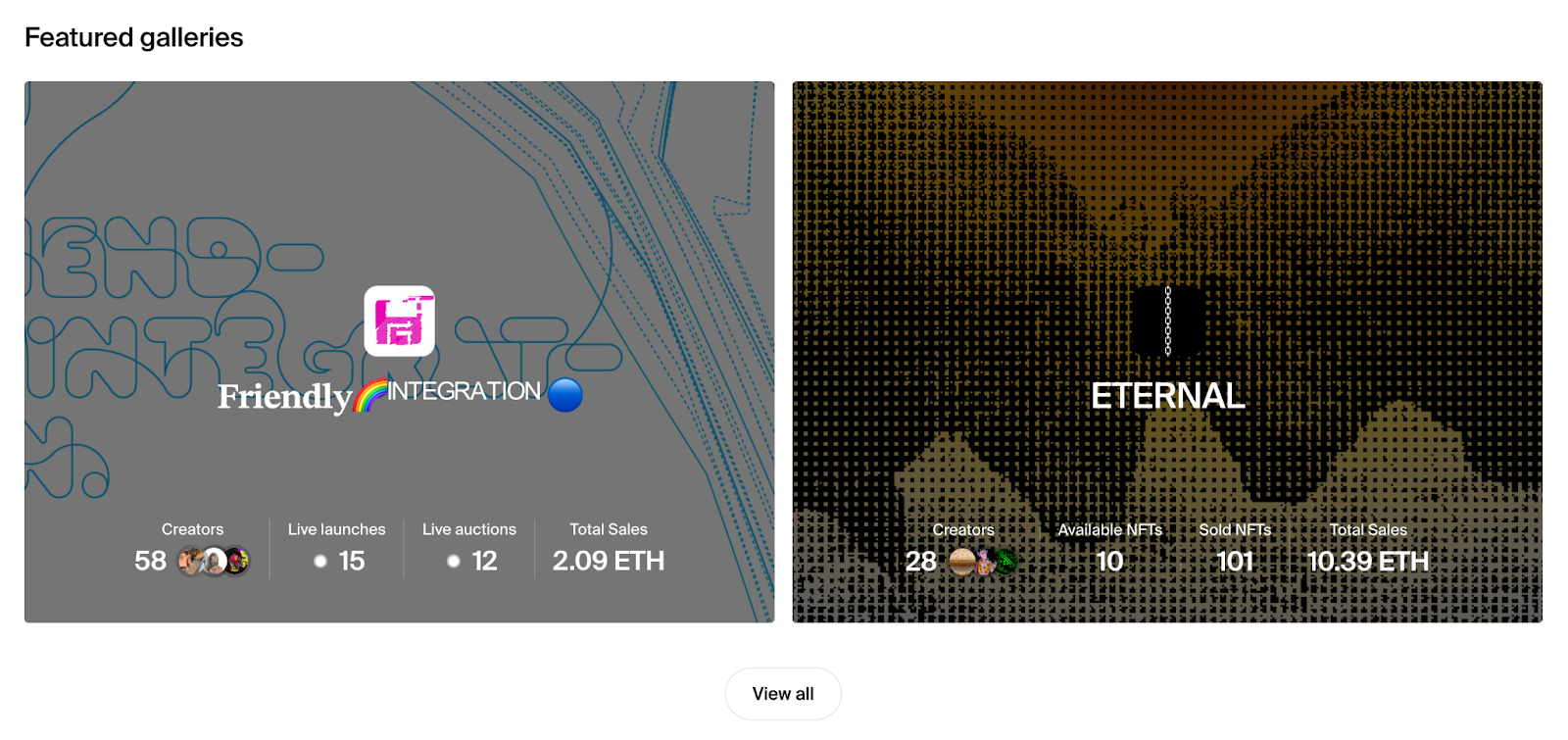
Onchain galleries for digital art are largely composed of two products. A public storefront that showcases Exhibitions, individual works for sale, and sales history to collectors. A private dashboard provides insights and tooling to help you manage your gallery. There is a function to add team members by entering a username or wallet address and assigning a different role through the dashboard.
Exhibitions
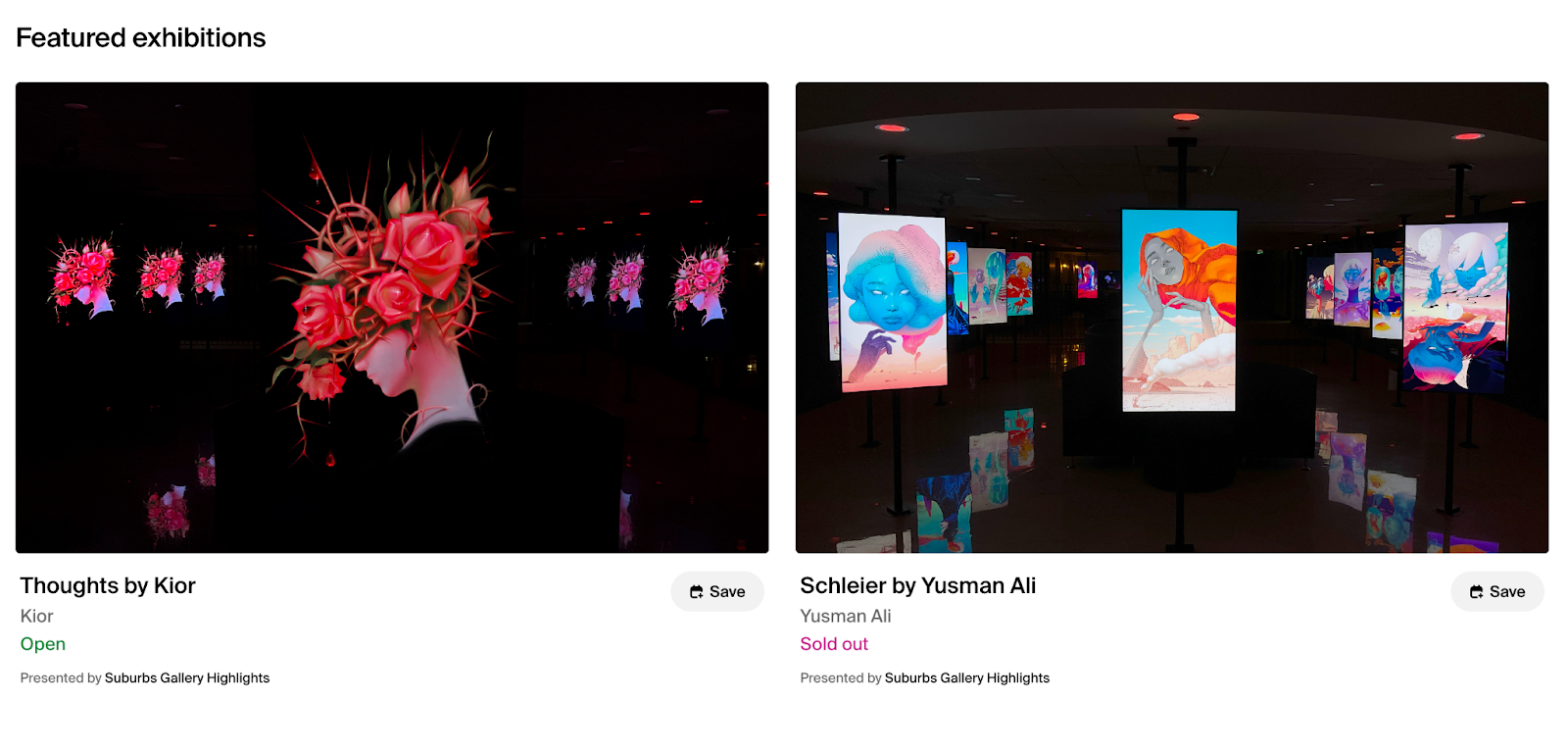
Exhibitions are an organizational tool designed to supercharge curators' selling efforts with their own custom allowlist and curator fee. This curatorial tool gives you the ability to create distinct, time-based shows, similar to how a gallery creates exhibitions. Creating an exhibition will allow you to add artists to an allowlist so they can sell artwork in your gallery. Sellers added to the allowlist can list their NFTs, Drops, or Editions directly into the exhibition.
Split NFT
Splits allow creators to share NFT earnings with up to four recipients or collaborators. With this feature, you can set a share percentage for each participant, which determines how much each individual will earn on primary and secondary sales.
Foundation NFT fees and costs
Foundation has two types of fees to consider: marketplace fees and gas fees.
Marketplace fees start with a 5% commission on all sales, whether they occur in the primary or secondary market. For Drops on the primary market, the total commission is 15%. In secondary sales, 5% goes to the platform, while 10% is distributed as royalties to creators.
The platform uses these fees to support the marketplace's growth and maintenance. Foundation NFTs would not be able to develop creator tools like Editions, Worlds, or Drops without these fees.
Gas fees, which are required for every blockchain transaction and smart contract, come next. They aren’t returned to the Foundation.
User experience and interface
The interface of Foundation is built around a simple navigation flow where users connect a wallet, browse collections, and interact with NFTs through minting, buying, or bidding.
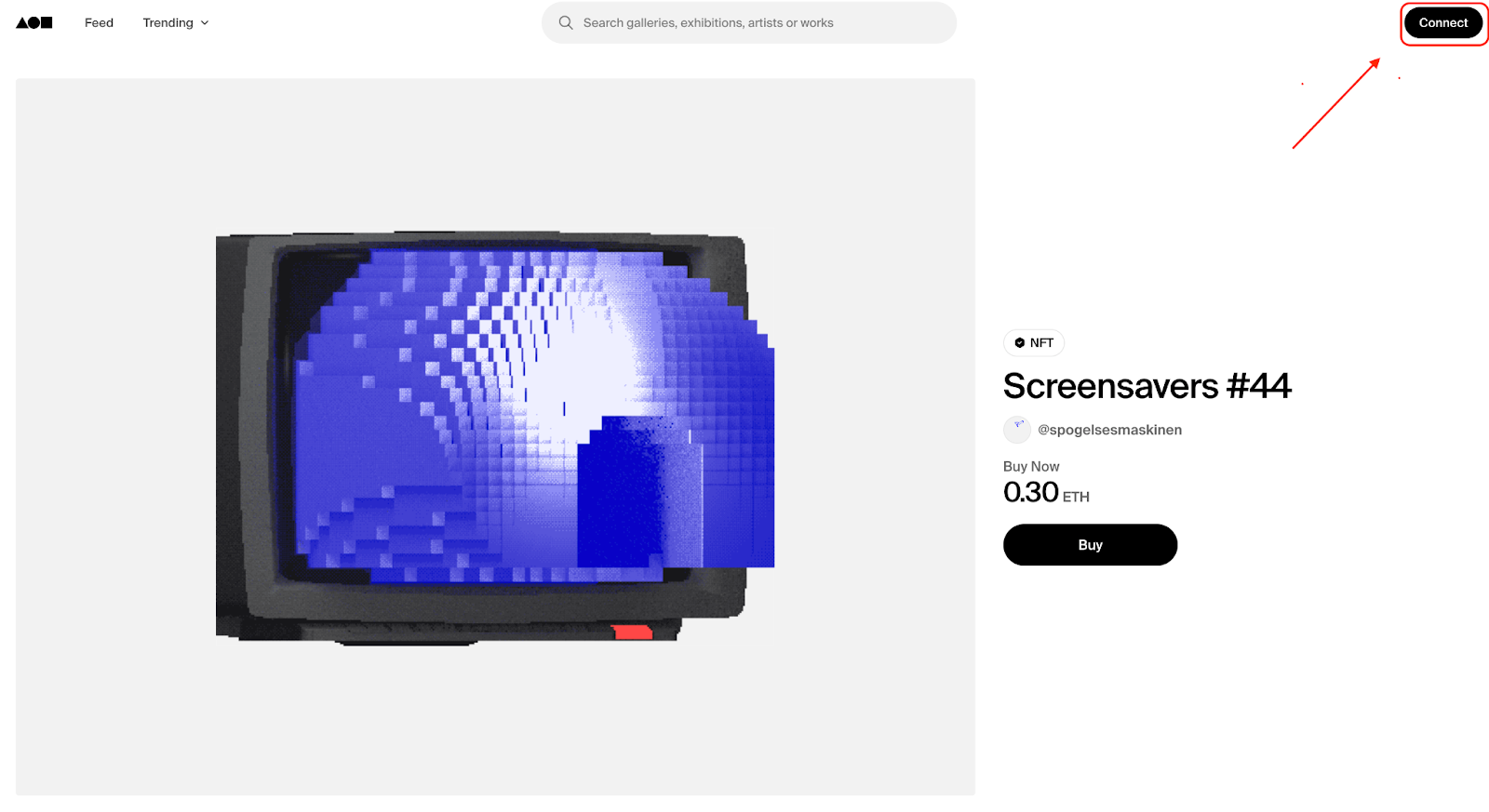
To use Foundation, users must connect a compatible wallet instead of creating a regular account. The login process is done directly from the main page. In the upper-right corner of the homepage, click Connect to start the login process
After clicking Connect, the platform shows available wallet options, including:
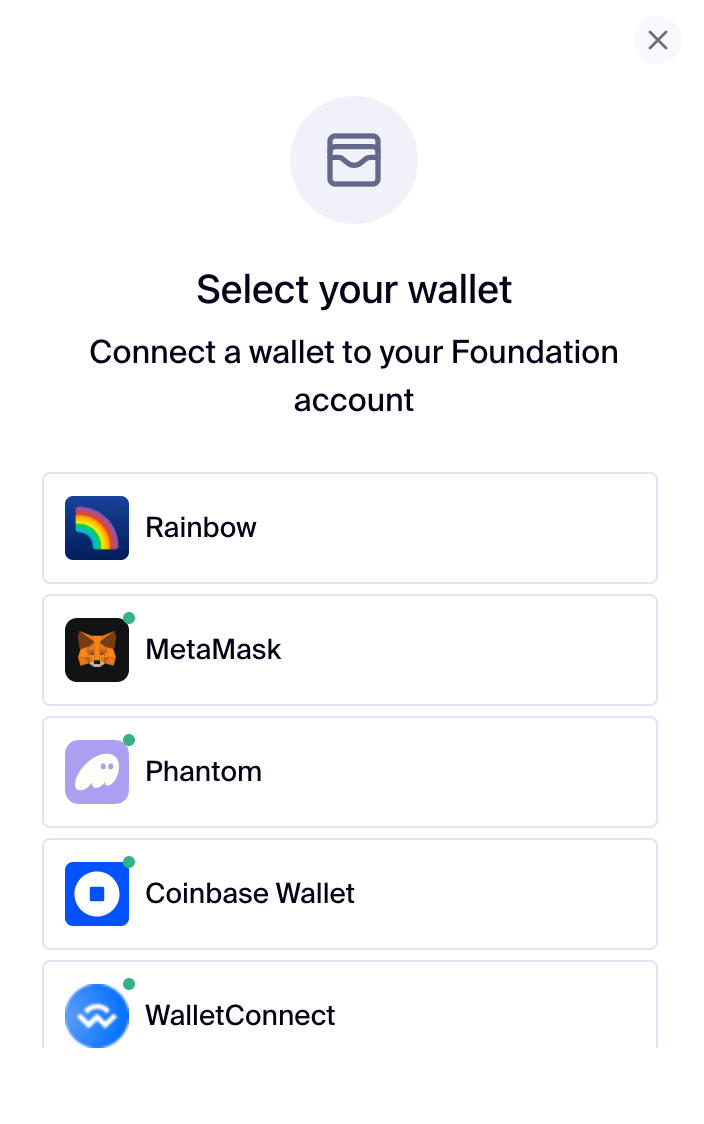
Click the desired wallet and enter the password in the tab opened. After signing, the profile is created automatically.
Exploring NFTs on Foundation
After connecting a wallet, users can browse NFTs and purchase them using different methods. To find NFTs, navigate through the search bar.

Search bar
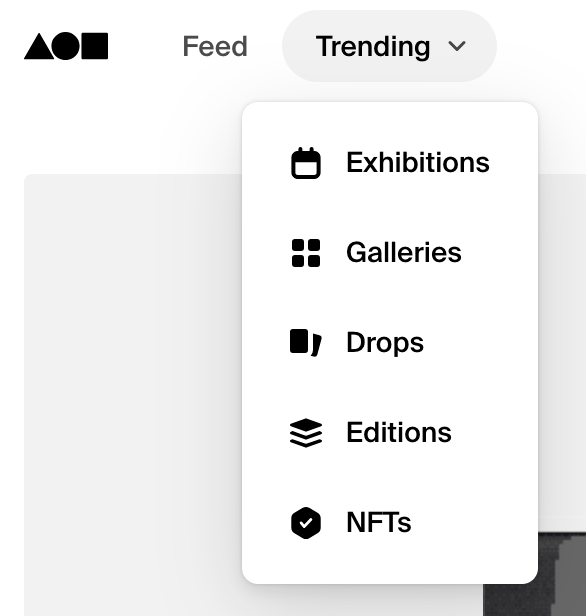
Or use the section ‘Trending’ to find Exhibitions, Galleries, Drops, Editions, and NFTs.
Mobile compatibility
Foundation doesn’t have a dedicated mobile app. Instead, users access the marketplace through a mobile browser.
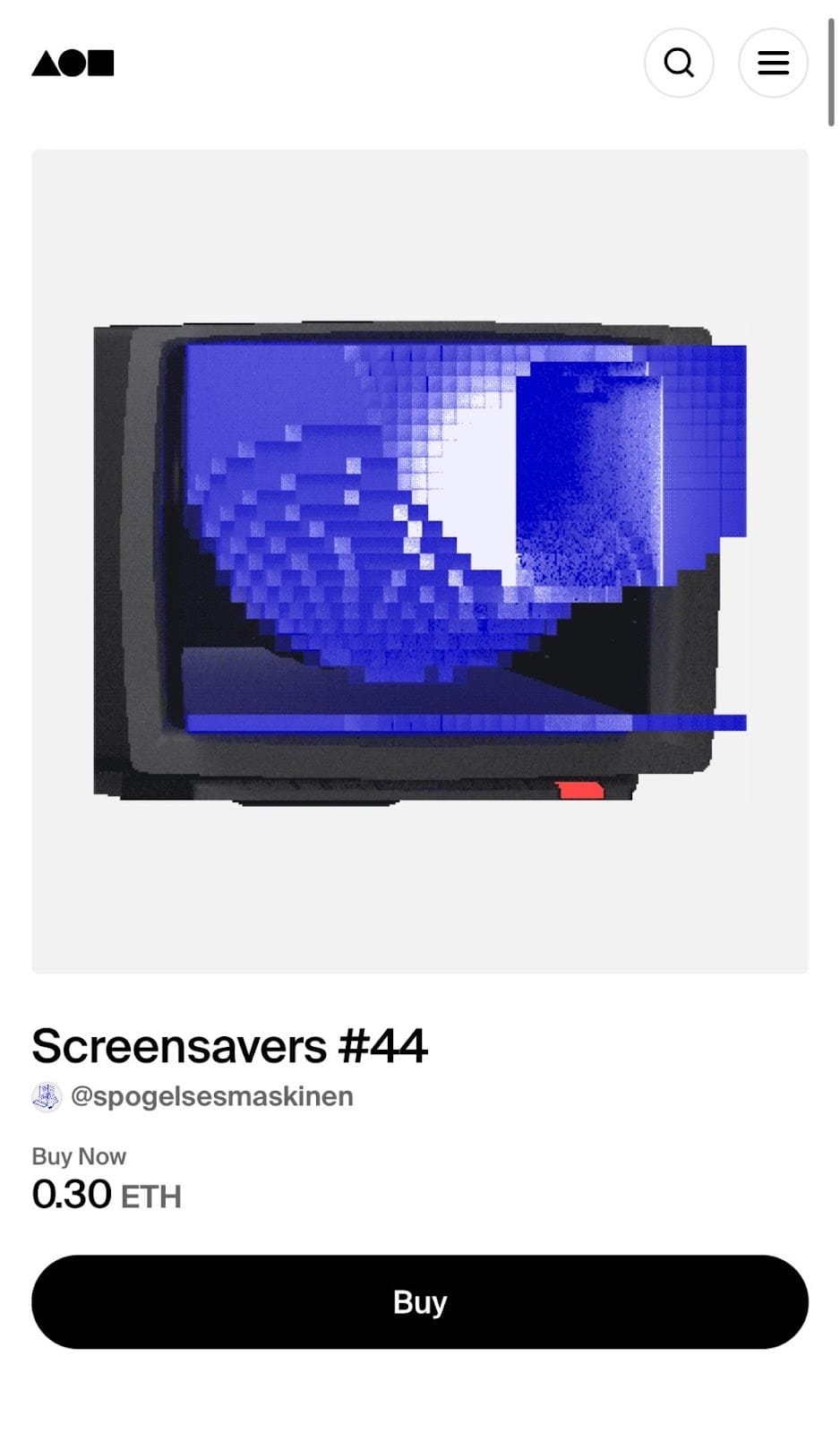
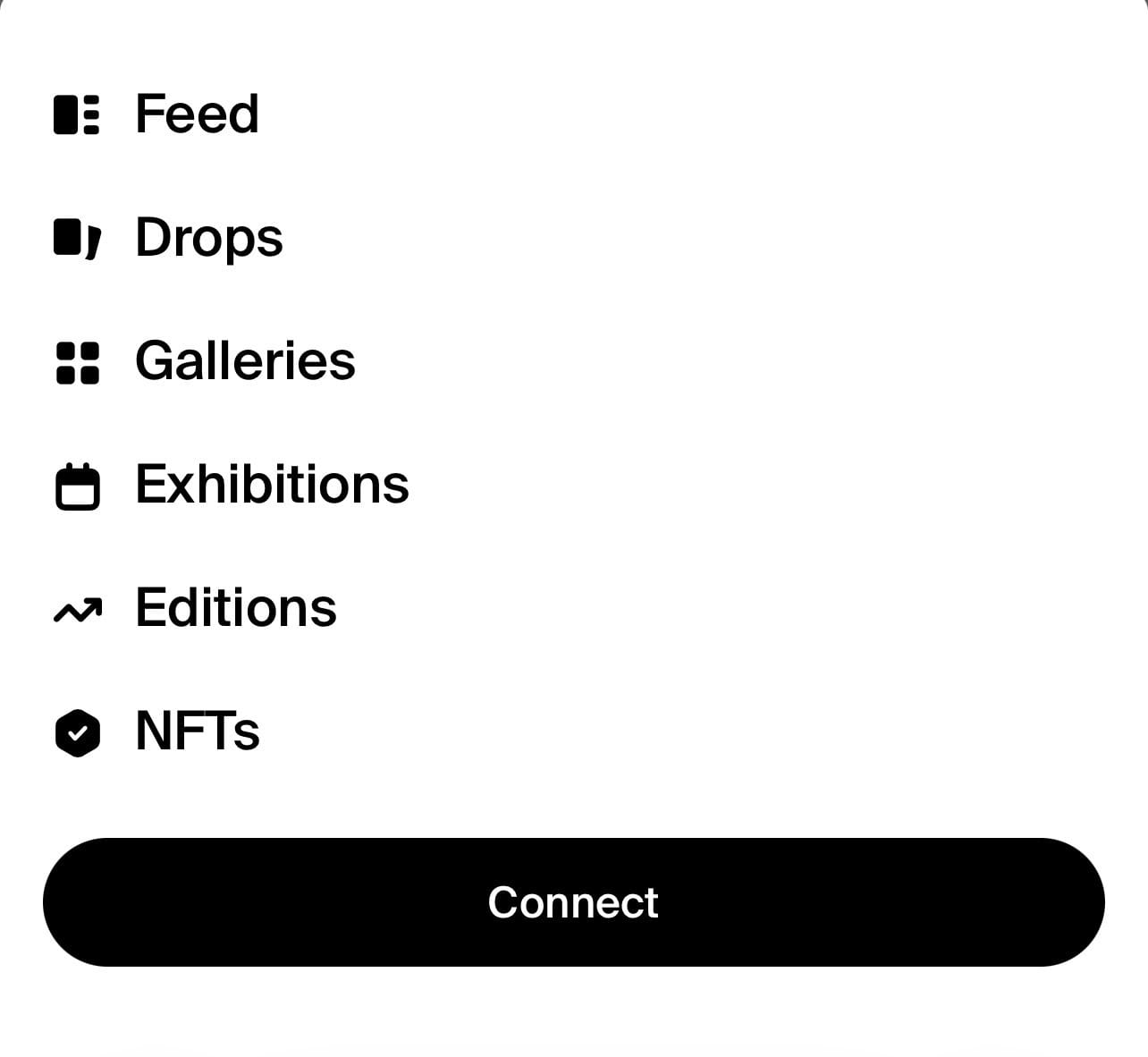
On the mobile version, the button in the upper-right corner opens the Trending menu, which works similarly to the web interface. The same menu also includes the Connect button.
The mobile version works smoothly and fast enough to browse the marketplace without experiencing any noticeable lag. Both desktop and mobile versions maintain an intuitive and simple-to-understand interface. During regular use, no major problems were observed, and navigating between pages, collections, and NFT listings is simple. Overall, the platform's stable performance and clear menus make it easy to use.
How artists mint and sell NFTs
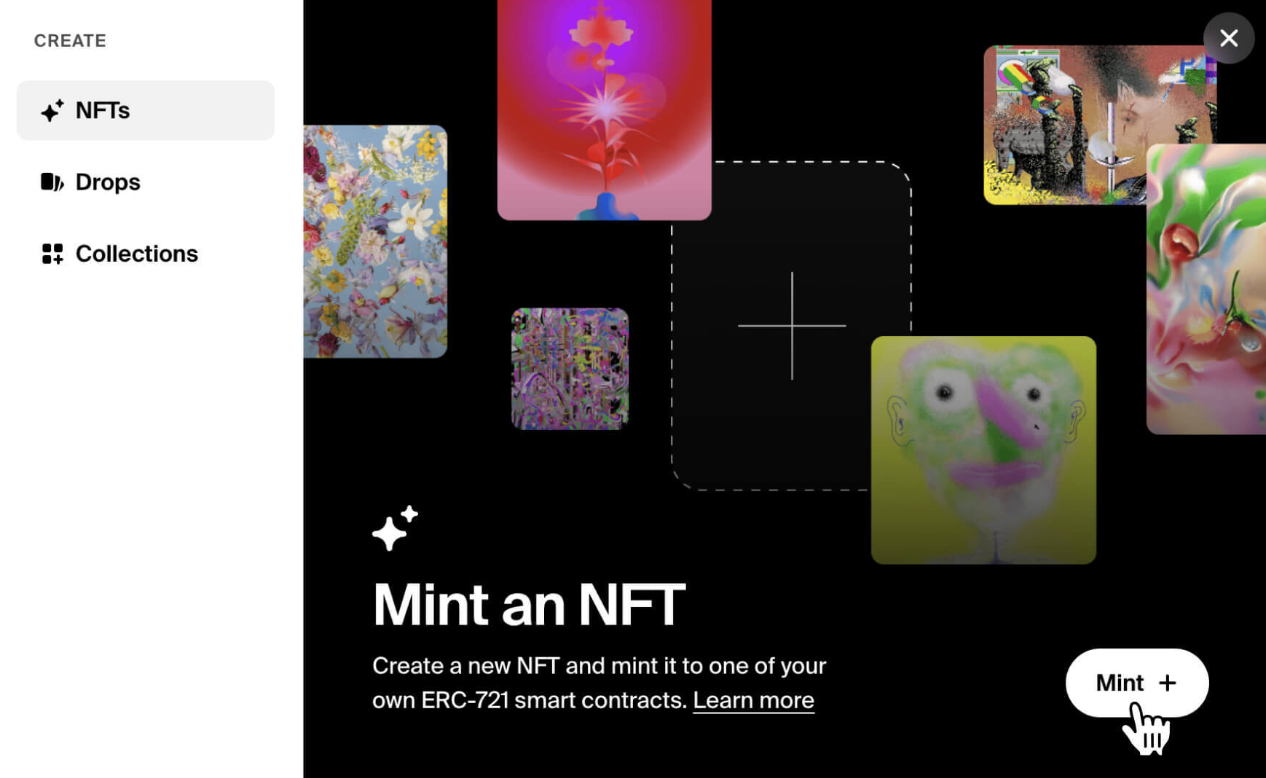
Anyone on Foundation can create a Collection and mint an NFT after connecting the wallet. To start minting NFTs, go to the Create section in the upper right-hand corner of any page, then click Collections in the sidebar.
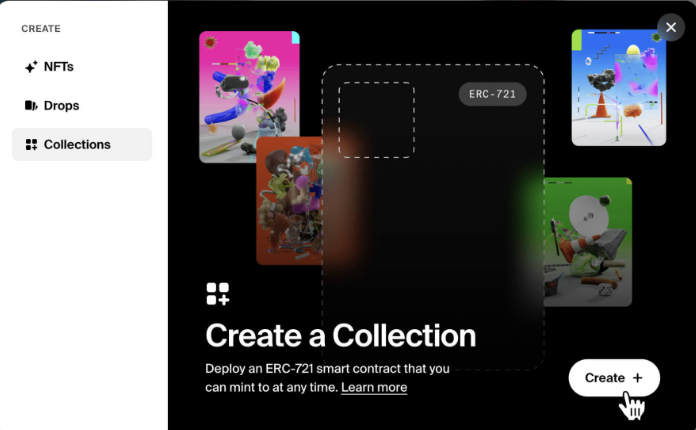
On Foundation, NFTs are minted inside collections. Each collection is a smart contract owned by the creator. When creating a collection, the user must enter the collection name, symbol (short blockchain name), and chain. These values are stored on the blockchain and cannot be changed later.
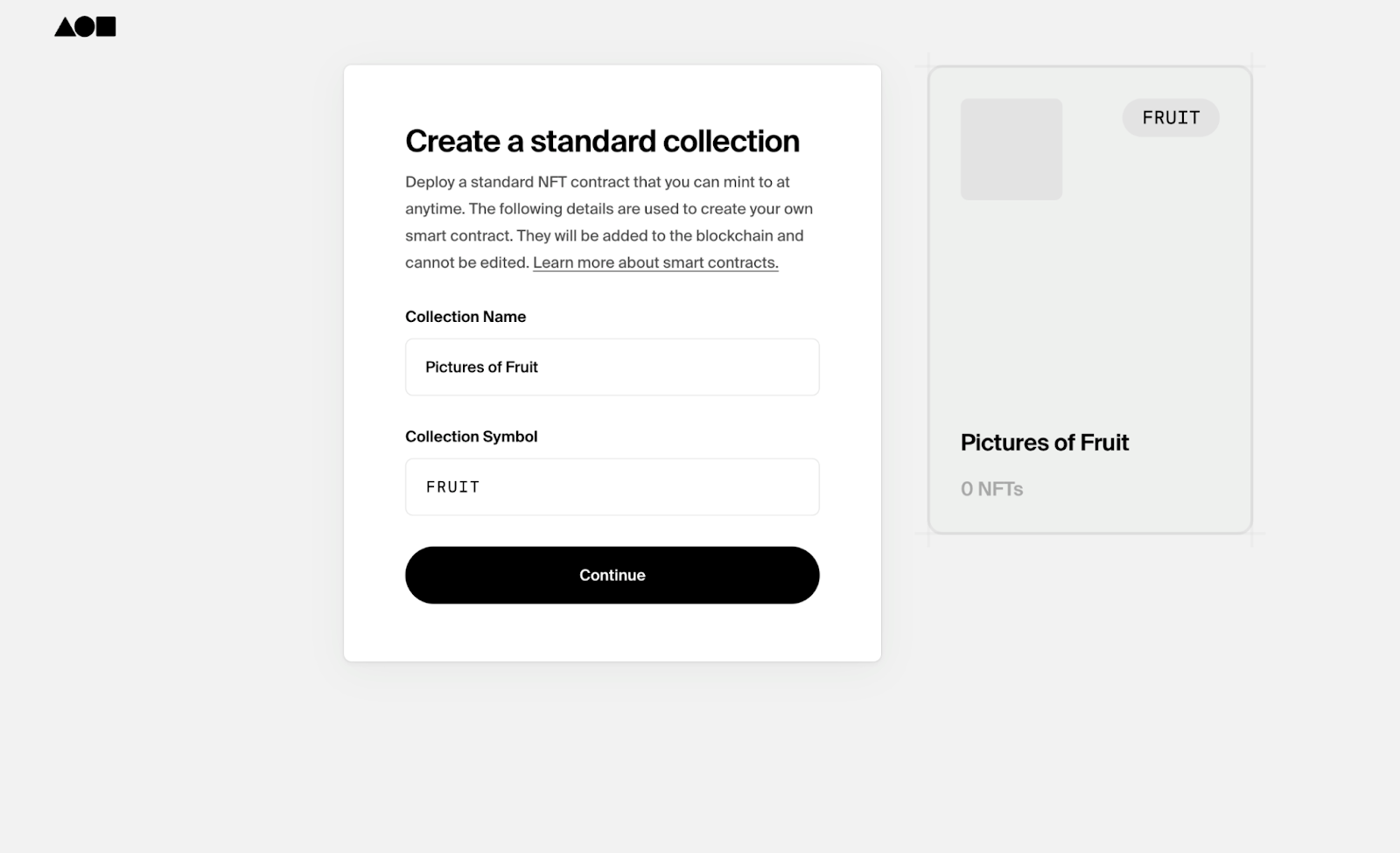
To activate the collection, click Deploy your smart contract. Confirm the transaction in your wallet and pay the gas fee. They are required for blockchain transactions and aren't controlled by Foundation.
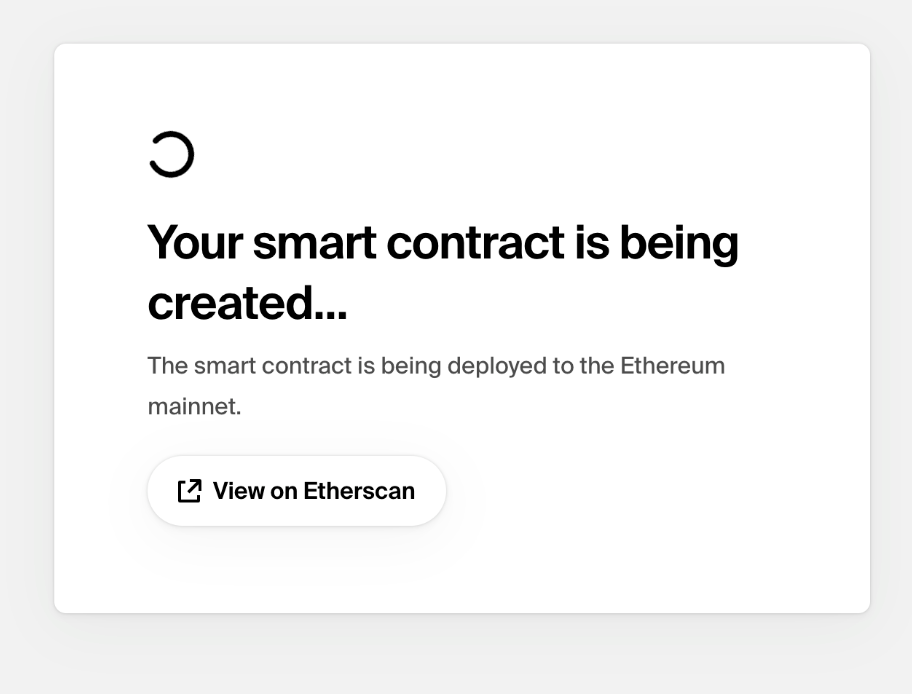
After deployment, navigate to the Collection page and edit the collection details etc. logo, cover image, and description. Now it's time to mint an NFT. Go to the Collection page and click ‘+ Create NFT.’
Foundation currently supports PLAIN, JPG, JPEG, PNG, GIF, SVG, GLTF, GLB, MP4, and MOV file types, up to 300 MB. (For GIFs up to 50 MB.) Then add the NFT title less than 50 characters, and description up to 1,000. To complete minting, click Mint NFT, confirm the transaction, and wait for blockchain confirmation.
To sell, navigate to the NFT page and click Sell NFT. There are currently eight options to sell NFTs: Reserve Auction, Buy Now, Offers, Drops, Editions, Galleries, Exhibitions, and Batch Listing. User can use the Buy Now, Offer, and Reserve Auction features simultaneously, listed as a Reserve Auction, have a Buy Now price, and receive Offers on Foundation.
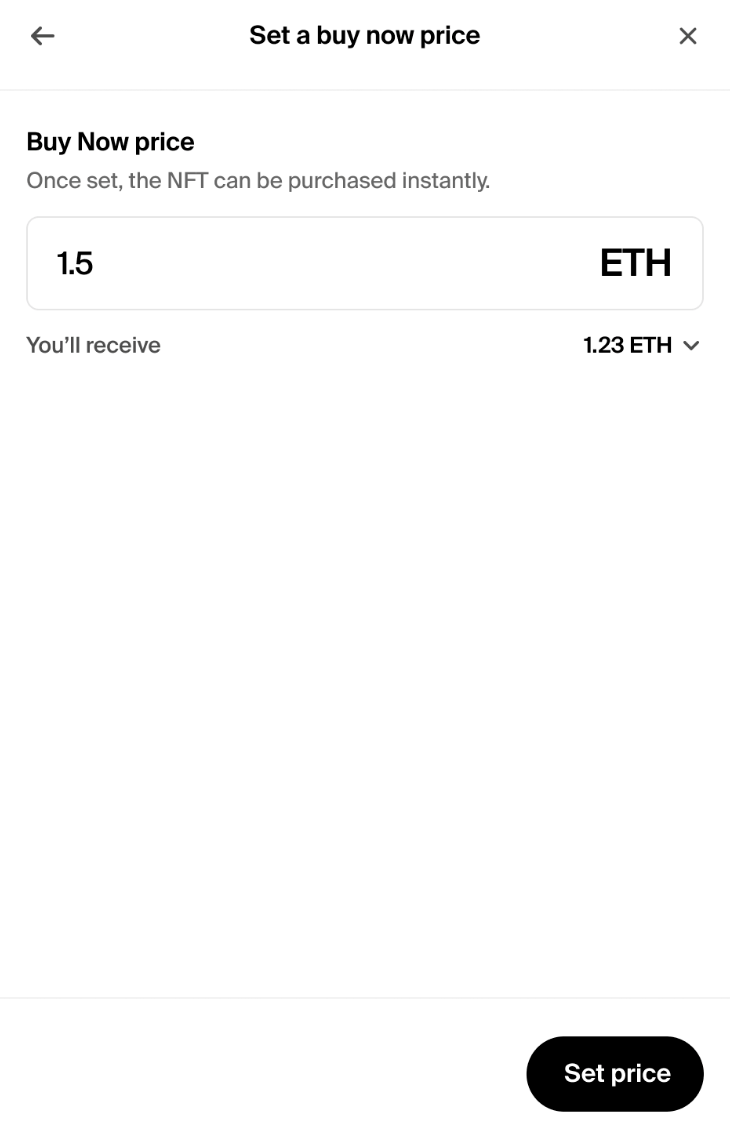
Choose the sale type, click Set price, and confirm. Match any feature until finding which technique works best.
Pros and cons
Like any NFT platform, Foundation has strengths and limitations that affect the overall user experience:
Pros
- Robust system of artist royalties. Royalties from secondary sales are given to creators.
- Smooth design. Compared to more expansive NFT platforms, Foundation is renowned for its simple design and user-friendliness.
- NFTs can be sold in several ways. Provides a wide range of options for selling
- Divided royalties. A split system enables creators to distribute profits to a maximum of four additional recipients.
Cons
- Higher fees than competitors. Foundation charges 15%, while some competitors charge 0%-5%.
- Smaller collector base. Compared to OpenSea, fewer buyers means lower liquidity.
- Limited functionality vs large marketplaces. Foundation focuses on art, so it lacks some advanced tools available on bigger platforms.
- Lack of payment options. Doesn’t allow withdrawals or deposits via credit/debit cards or PayPal.
Foundation vs competitors
Is Foundation worth using in 2026?
Before using Foundation, it helps to consider what you want from an NFT marketplace. The platform remains focused on curated digital art and maintains a reputation as an artist-driven marketplace. This structure tends to appeal to established creators seeking visibility and royalty income, as well as collectors interested in more selective art offerings.
Users whose priorities center on lower fees, deeper liquidity, broader reach among collectors, or multiple payment options may find larger marketplaces, such as OpenSea or Blur, better suited to those needs.
 Maryna Hornieieva
Disclaimer: All materials on this site are for informational purposes only. None of the material should be interpreted as investment advice. Please note that, despite the nature of much of the material created and hosted on this website, HODL FM operates as a media and informational platform, not a provider of financial advisory services. The opinions of authors and other contributors are their own and should not be taken as financial advice. If you require advice, HODL FM strongly recommends contacting a qualified industry professional.